Leads, deals, and forecasts in a CRM that talks to invoicing, marketing, and the phone system.
A real CRM with leads, deals, pipelines, sequences, quotes, and forecasting — connected to invoicing, marketing, and the phone system on the same platform.
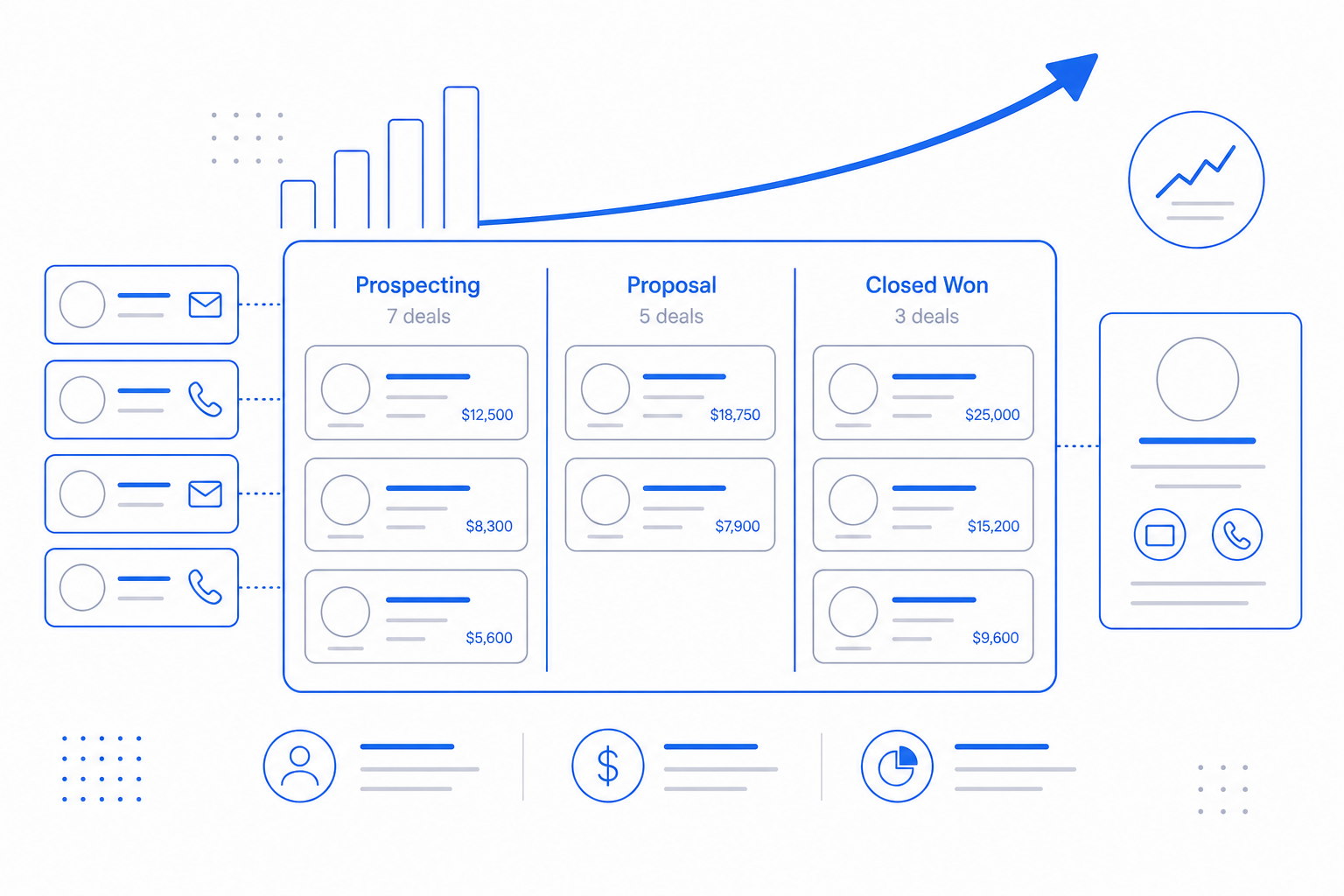
A CRM is only as good as the systems around it. CloudIP CRM treats contacts, accounts, and deals as the same records used by Accounting, Marketing, and Communications. A converted lead becomes a customer in invoicing. A won deal triggers a quote-to-invoice. A reply on a sequence shows up in the CRM, not a separate inbox.
You stop pasting between tools. Pipeline becomes the same source of truth that finance and ops already use.
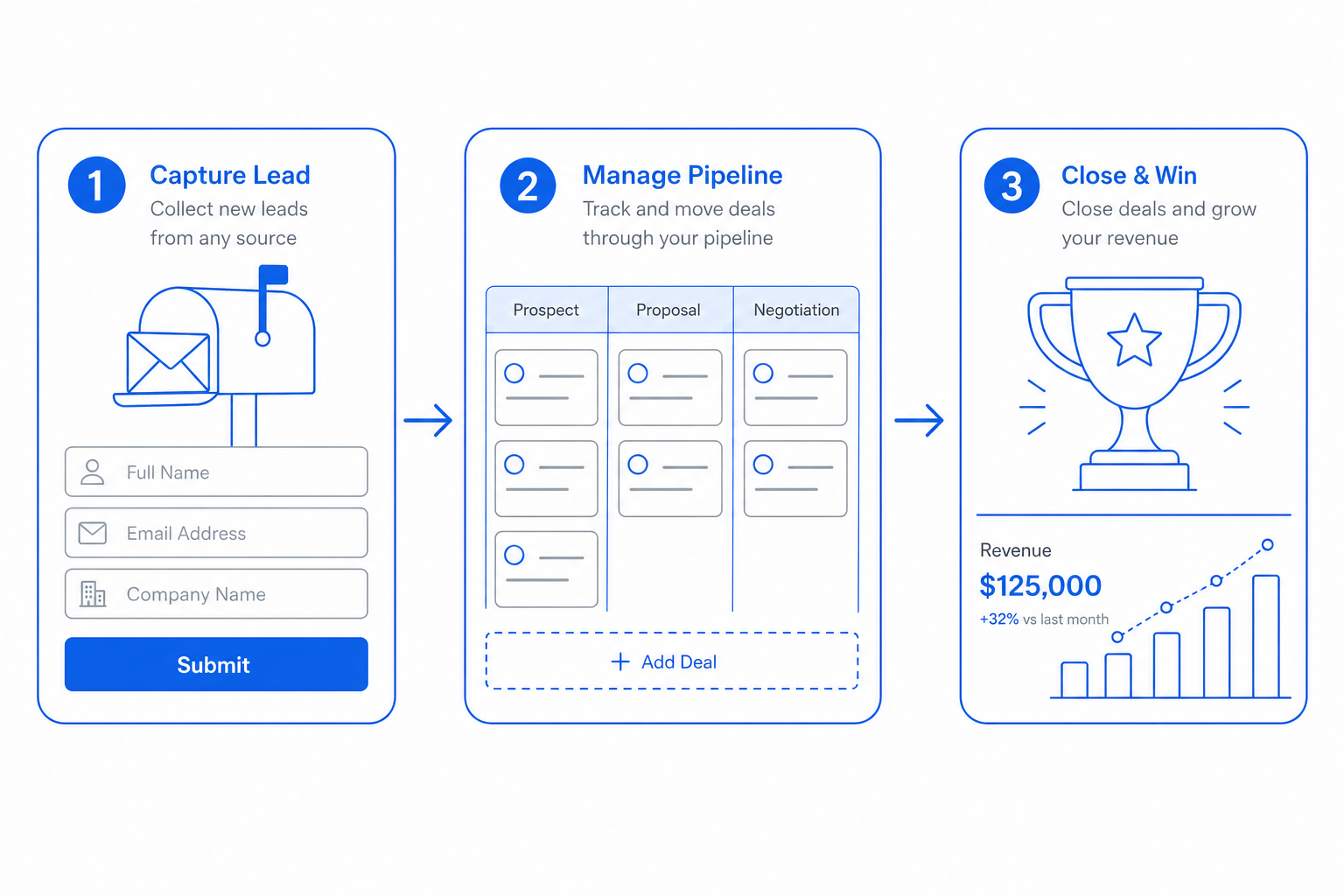
CRM in three steps
From day one to day one-thousand, this is how the crm module moves work through your business.
The crm pillars
Specifics, not slogans — what each part of CRM actually does for the business.
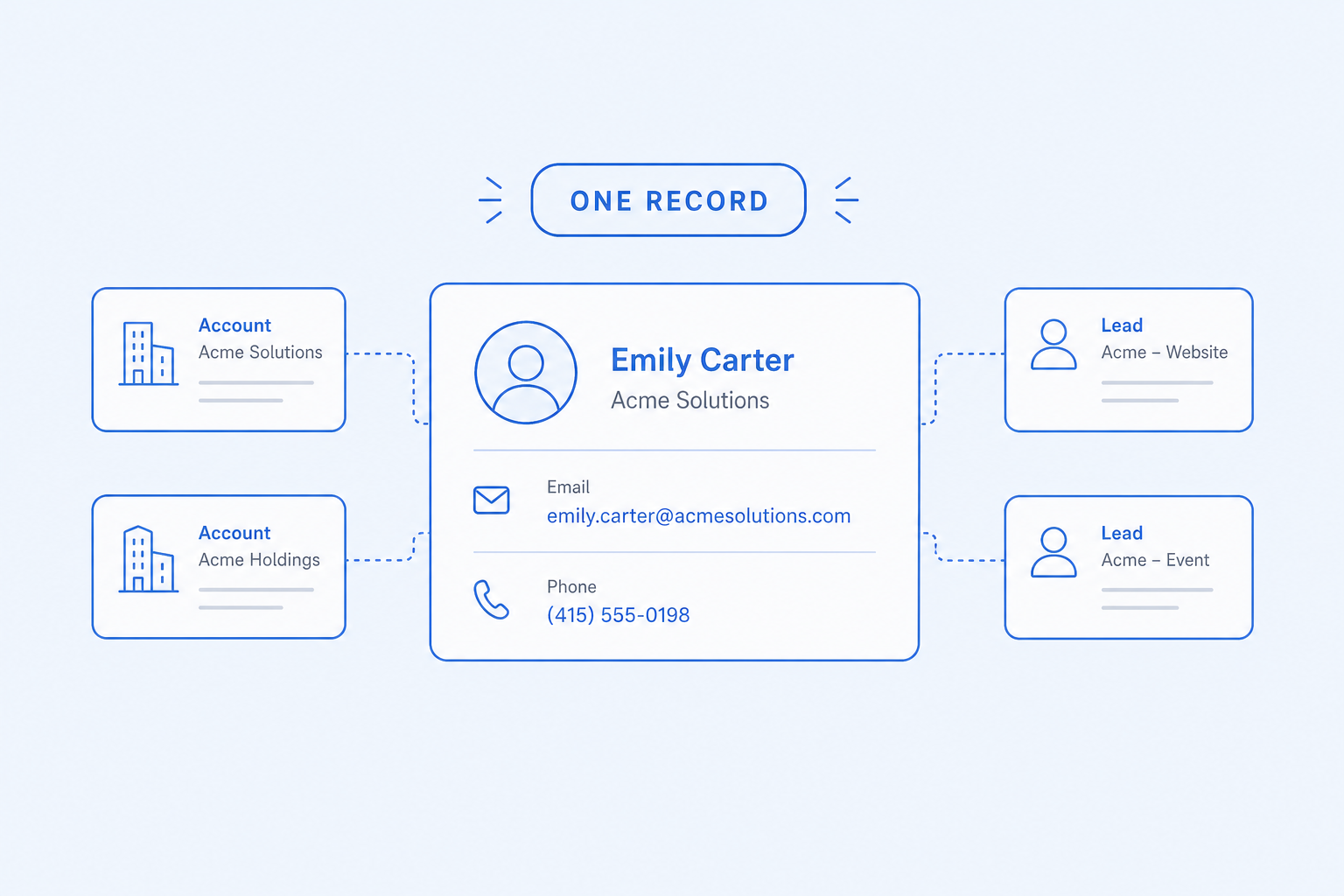
Leads, contacts, and accounts
One record, used everywhere.
- Lead capture from web forms, imports, and API
- Auto-assignment by territory and round-robin rules
- Conversion to a customer creates the invoicing record
- Account hierarchy for multi-location buyers
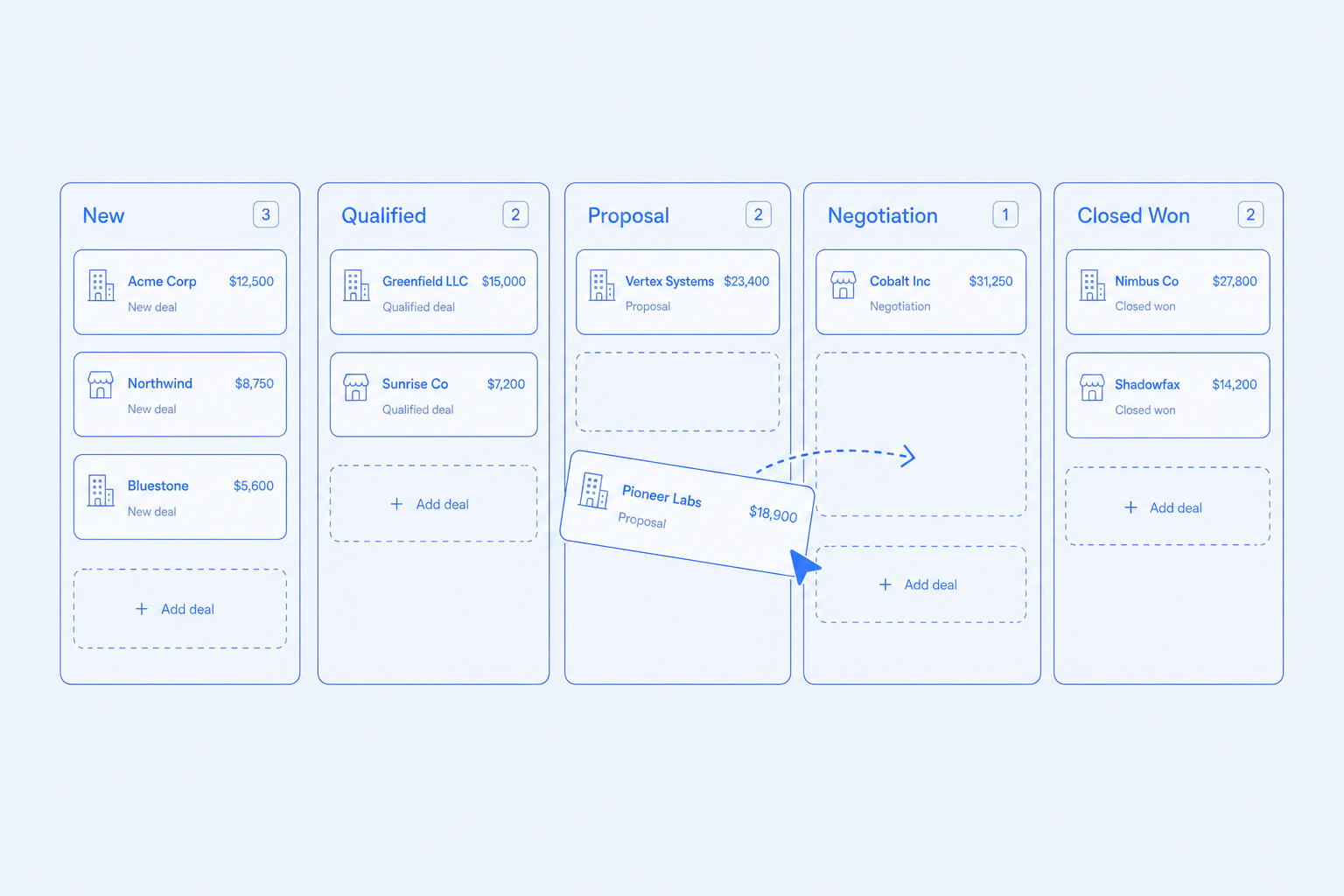
Deals and pipeline
Drag deals through stages without spreadsheet hygiene.
- Drag-and-drop kanban with stage rules
- Required fields and exit criteria per stage
- Win/loss reasons captured at close
- Deal-to-invoice and deal-to-quote in one click
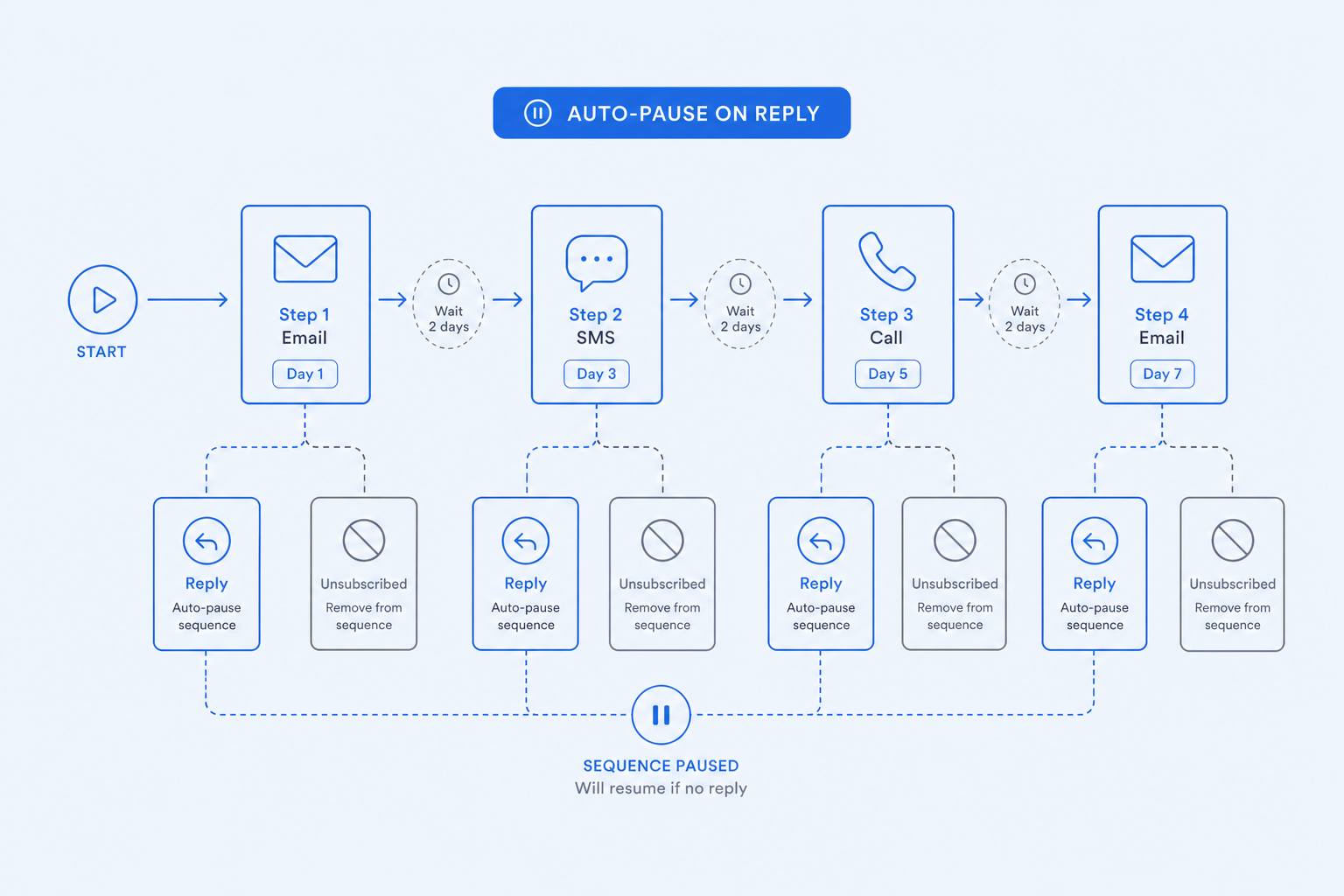
Sequences and outreach
Outbound that respects replies and unsubscribes.
- Multi-step email sequences with delays and conditions
- Auto-pause on reply, meeting booked, or unsubscribe
- A/B subjects with built-in significance test
- Sender rotation and warm-up safety rails
Forecasts and reports
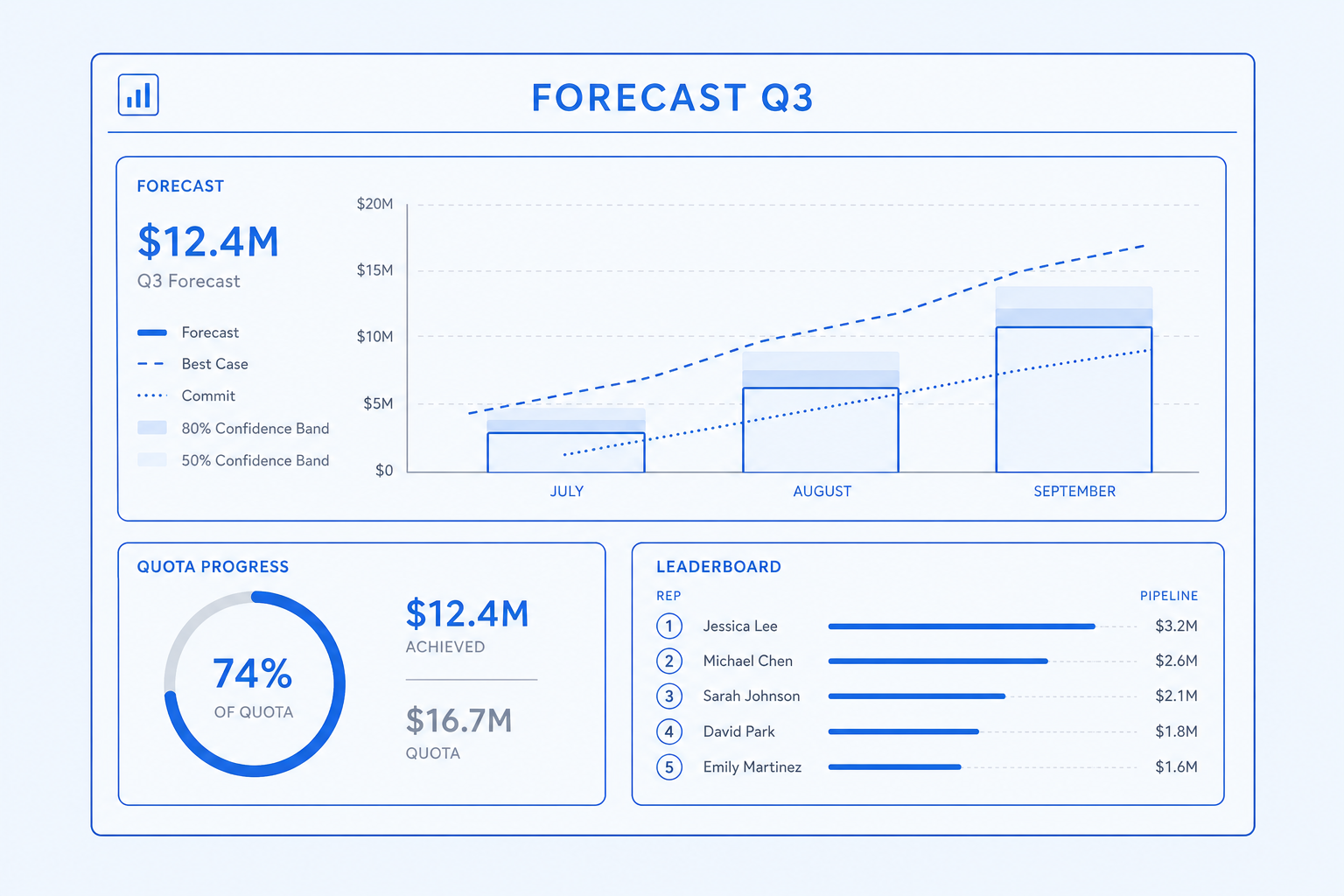
Predict the quarter without a spreadsheet rebuild.
- Weighted forecasts with historical baselines
- Forecast-vs-actual rollups by owner and territory
- Win-rate, sales-cycle, and conversion reports
- Activity reports that tie outreach to revenue
Every capability has its own dedicated page
Click any capability to read what it does, who it is for, and how it works.
Capture, qualify, route, and convert leads with audit history.
Drag-and-drop kanban with stage rules and automation.
Weighted forecasts, quotas, and forecast-vs-actual rollups.
Drip outreach with steps, delays, and reply detection.
Send quotes that convert into invoices with one click.
Behavioral and firmographic scoring with decay rules.
Geographic and account-based territories with assignment rules.
Multi-touch campaigns linked to leads, contacts, and revenue.
Who this is for
Three real situations CloudIP customers bring us, and how the platform answers them.
Pipeline lives in Salesforce, quotes in PandaDoc, billing in QuickBooks.
Outcome: Close a deal and the quote becomes an invoice in the same system.
Calendly, Gmail, a spreadsheet, and Stripe — four logins per prospect.
Outcome: Sequences send from the CRM, replies appear in the CRM, contracts and invoices live in the CRM.
Lead source is invisible because the CRM does not see the marketing tool.
Outcome: Source-to-revenue attribution out of the box.
Common questions
Specific answers about CRM — not marketing fluff.
No. It is a complete CRM with leads, deals, kanban pipelines, sequences, scoring, territories, quotes, campaigns, and forecasting — designed to compete with Zoho CRM and HubSpot Starter.
Pipelines you do not have to babysit
A pipeline that drops opportunities during a deploy is worse than no pipeline. Every CRM write is idempotent and recoverable.
Idempotent writes
Lead capture and webhook ingestion accept idempotency keys so retries from upstream sources never duplicate records.
Sequence safety
Email and SMS sequences are checkpointed per-recipient, so a worker restart resumes exactly where it left off.
Per-tenant rate limits
A noisy integration in one tenant cannot drain capacity for the rest of the platform.
Soft-delete with restore
Deleted records remain restorable for thirty days, and bulk operations are logged to the audit trail.
More of CRM
Capture, qualify, route, and convert leads with audit history.
Drag-and-drop kanban with stage rules and automation.
Weighted forecasts, quotas, and forecast-vs-actual rollups.
Drip outreach with steps, delays, and reply detection.
Send quotes that convert into invoices with one click.
Behavioral and firmographic scoring with decay rules.
Try CRM on the full platform
14-day trial with every module enabled and the full Hardware Store catalog. No credit card.